Things you must plan before starting migration of your web application to Azure PAAS
Many organizations are planning to migrate there existing workload to Azure to achieve performance, scaling, flexibility of resource consumption & Pay as you go plans. There are lot of other benefits to moving application to Azure PAAS. Due to lack of knowledge & proper planning many organizations are not able to move application to Azure. I will try to create a framework/approach which will help any organization to migrate there applications to Azure PAAS.
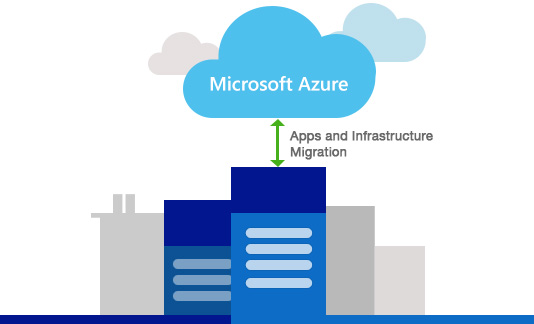
Before starting any migration activity or planning, first list of all components & dependencies of existing application. This list will help you to identify items which required any changes before moving to azure.
You can use below list as starting point-
If you have completed above two steps carefully, it will cover your 30% Job. Rest migrating the application based on plan & testing it.
If you have multiple application to be migrate on Azure PAAS, i would recommend to migrate one by one. It will help you to reuse existing application migrations knowledge and components to be used in another applications.
Let me know if you have any query or need any help to migrate your applications on Azure PAAS. All the best for your Azure Journey.
Step 1 : Baseline Analysis
Before starting any migration activity or planning, first list of all components & dependencies of existing application. This list will help you to identify items which required any changes before moving to azure.
You can use below list as starting point-
- Technology used for Web Portal - ASP.Net, Java etc.
- Current Session management technique- in memory of web server or state server or database server
- Any Web API project associated with web application
- Database used in web portal - SQL Server, MySQL or any other
- User authentication technique (On premises Active Directory)
- Integration with any other on premises applications
- Windows Service, Background job or Scheduler
- MSMQ or any message queue
- Application have document/files/image upload functionality
- Any third party exe is used in your application to achieve specific task
- Any custom installation required on web server
- SMTP Server configured for sending email
Step 2 : Migration Plan
| Component | Azure Service | Remarks |
|---|---|---|
| Web Portal | Azure Web App | Support Auto-Scaling |
| Session Management | Redis cache or SQL Server | In memory session storage not support if you have multiple web server instances running. |
| Web API | Azure API App | |
| Database | Azure SQL | You can choose higher or lower capacity or performance on the fly |
| User Authentication | Azure Active Directory or on premises ADFS | |
| Integration | On Premises Data Gateway | If other applications are available on internet, you can directly connect via Azure Function, Logic App or even from Web App. If it is on-premises application than you can have on premises gateway or site-to-site connectivity. If other applications are directly connecting with your database than you can allow those server's IP Address in Azure SQL database firewall. |
| Windows Service or Background Job | Web Job, Azure Function or Batch Job | Based on your specific need you can select any one of the list. I personally found Azure Function very promising and easy to develop. Azure Function has in build capability to integrate with Event Hub, Service Bus, Cosmos DB etc. which is helpful in integration scenarios. |
| Message Queue | Event Hub, Service Bus or Storage Queue | Choose based on your application need. |
| Document or file upload | Azure Blob Storage | |
| SMTP for Sending Email | Azure SendGrid | If you have existing office 365 account for sending email, you can use same in Azure |
| Third party EXE or Custom installation or configuration required on web server | Azure VM | Customization of environment or installation of third party EXE does not supported by Azure PAAS, you need to choose Azure VM for those type of components. |
Step 3 : Execution of Migration
If you have completed above two steps carefully, it will cover your 30% Job. Rest migrating the application based on plan & testing it.
If you have multiple application to be migrate on Azure PAAS, i would recommend to migrate one by one. It will help you to reuse existing application migrations knowledge and components to be used in another applications.
Let me know if you have any query or need any help to migrate your applications on Azure PAAS. All the best for your Azure Journey.


Comments
Post a Comment